
Write downwhat you spend.Understand why.
BudgetNote is a budgeting journal, not an autopilot. Logging by hand takes about four seconds — and that is the point: you notice the money leaving. Set limits that carry over, track goals with a real payoff date, and keep a record of what you decided was worth it.
Free forever · macOS, Windows, Linux · no account required
his birthday — worth every cent
impulse. ask me on Sunday
Written by you, stored as plain text in a folder you own.
Automatic tracking is whynobody knows where their money went.
An app that imports your transactions hands you a tidy chart of decisions you have already forgotten making. You review it once, feel vaguely bad, and change nothing. Writing it down puts you at the moment of spending, while you can still feel it.
Four seconds, on purpose
Press ⌘E, type the amount, tag it, hit Enter. Fast enough that you keep up with it every day — slow enough that the money actually registers as leaving.
The note is the missing column
Your bank knows you spent $129. Only you know it was a bad Tuesday and you were buying your way out of it. That sentence is the part worth keeping.
Nothing to reconcile
No bank links to break, no month of imports to re-categorise, no waiting for a pending charge to settle before your budget makes sense again.
Set the lines.Watch yourself keep them.
Plan your spending in Budget Center, then see your accounts, savings goals, and debts together on Standing.
Budget Center
Set a monthly limit for each category, follow its pace as the month unfolds, and carry unused amounts forward instead of starting from zero.
Goals with a finish line
Set savings targets, plan debt payoff with Avalanche or Snowball, and see when each path reaches its goal.
Standing
The Standing page brings your accounts, savings progress, and debt balances together, while keeping what you own separate from what you owe.
Unspent budget rolls forward. Overspent budget carries against the next month.
Compare strategies side by side. One goal or debt plan is included free.
See it before you download it.
Every screen below is the real app. Pick one to see it, or click the image to open it full size.
The whole year, already there
Top-line totals, plan health per month, the activity heatmap, and your check-in practice — all on one screen.
Everything the habit needs.Nothing it doesn't.
Less spreadsheet maintenance, clearer decisions, and a copy of your financial history that belongs to you.
Writing it down
Quick entry that stays quick
Keyboard-first entry and saved shortcuts for the things you buy every week. Inline editing right in the dashboard.
A note on anything
Attach context to a single purchase, a whole month, or a week. Notes are searchable, so looking up “coffee” brings back every time you mentioned it.
A phone app that reads back
Log one-handed, write your Weekly Reflection and month notes, then check today's spend, budget meters, and goal progress for the whole vault. Cached on the device, so it works without a signal.
Making sense of it
The Weekly Reflection
Three minutes on Sunday: review the week against the last one, judge what was worth it, and commit to one change that gets checked next week.
A check-in practice that leaves room to rest
The year heatmap shows logging and reflection together. Weekly progress and a planned rest day reward consistency without demanding perfection.
Financial Reviews that compare
Every report is measured against the period before it and carries your own reflections, your cash position, and — for couples — who contributed what.
Seeing the whole picture
Budget Center
Set category limits in groups you name, follow spending pace through the month, and plan by month or by paycheck.
Standing
See what you hold, what you owe, and what you are building: account balances, savings goals, and debt plans in one place.
Graphs that answer real questions
Explore spending patterns, budget health, and financial progress by month, quarter, or year, with household and individual views.
Owning it
Plain text, forever
Entries are written to a standard Hledger journal in a folder you choose. Readable in any text editor, portable to any compatible tool, yours if BudgetNote disappears tomorrow.
Conflict-safe by design
Three-way merging protects simultaneous edits, missing operations self-repair from encrypted snapshots, and conflicted Dropbox or Nextcloud copies are absorbed automatically.
Backups you can count on
A copy before every risky step, a daily copy to a second folder off this computer like iCloud Drive or a USB drive, and Go back in time to restore any copy. Free on every plan.
Keep a journal together.Two journals. One shared plan.
Each partner keeps a complete local vault with their own notes, attributed to them. Shared goals, limits, and spending roll up into one household view, synced directly between the two computers.
Create a single-use invite on one computer and join from the other. No shared login, no shared folder.
Edits to different things combine automatically. Genuine collisions surface as conflict cards rather than quietly overwriting someone.
If a change goes missing in transit, an encrypted snapshot restores it without touching work that only exists on one machine.
Four seconds, standingat the counter.
The desktop stays the system of record. The phone is for catching the coffee before you forget it — and for the quick look at whether this week is going the way you meant it to.
Sample data, in your browser.
No install, no account.
The phone app is part of Pro, and it pairs to a licensed desktop by scanning one code. The demo above is the real app running on invented numbers, so you can decide whether you want it before you pay for anything.
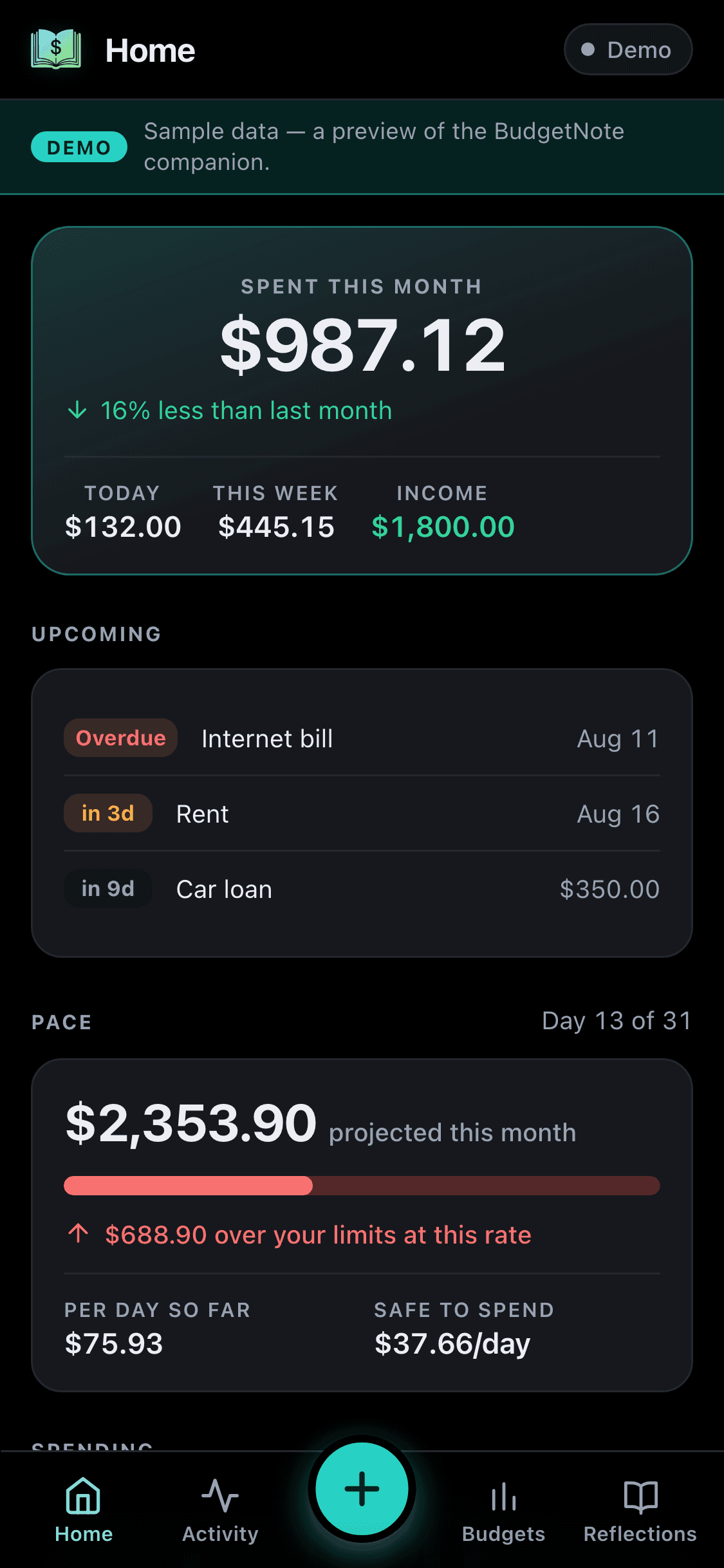
What you spent, what's coming, what you're on pace for.
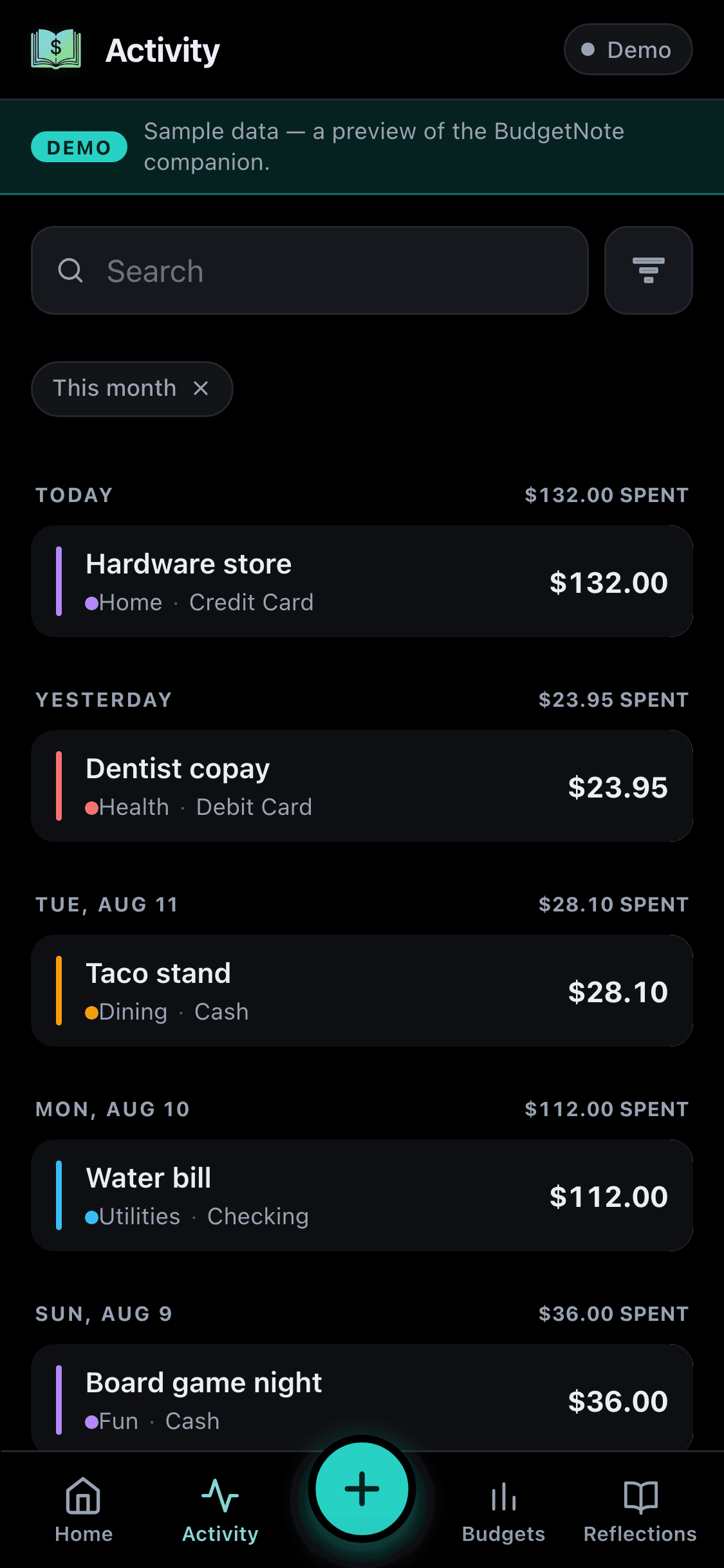
The whole vault, searchable, grouped by day.
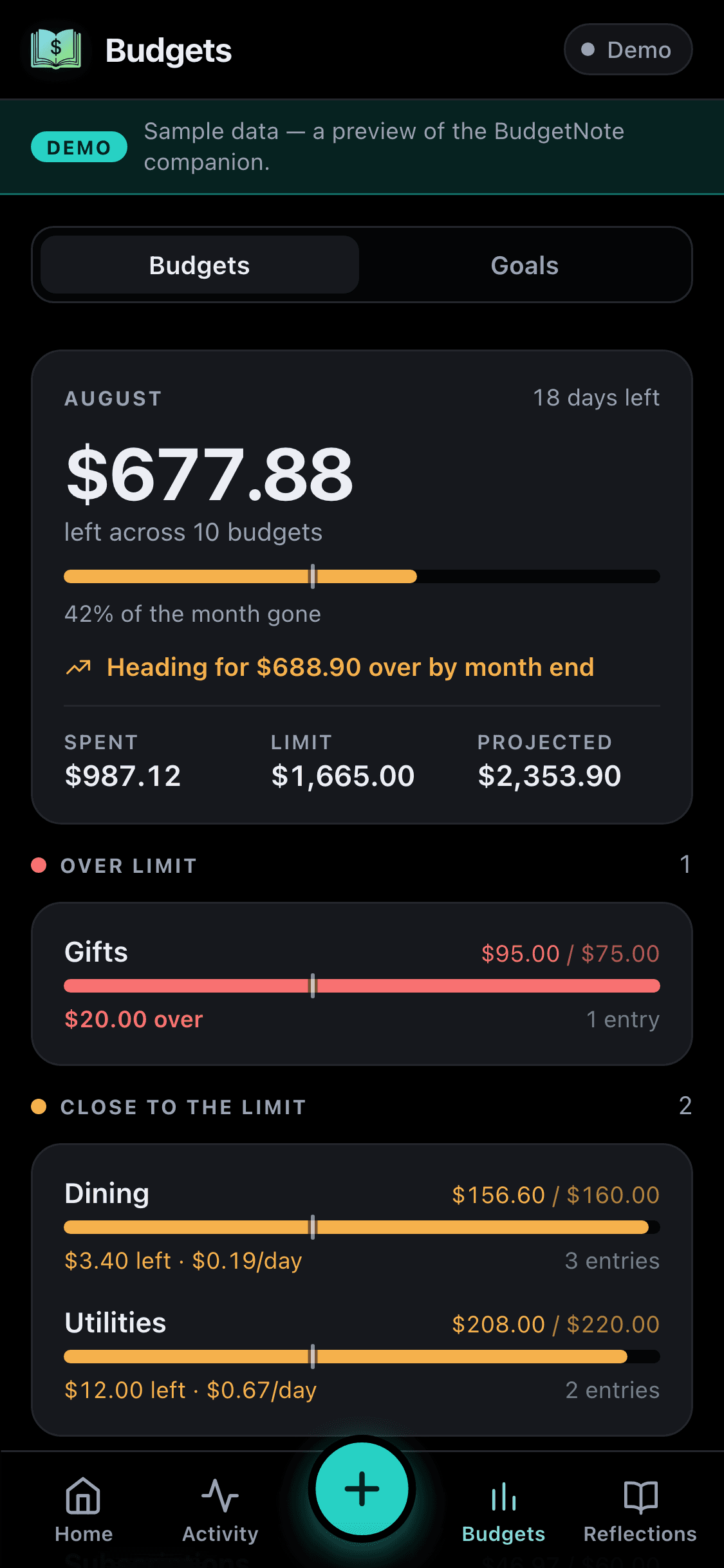
Every limit and goal, tappable through to the entries.
Better to find out herethan three weeks in.
A good fit if
Know this before you download
Free to start.Pro is a one-time upgrade.
The journal itself is never limited — log as much as you like, forever, for nothing. Pro adds the reflection layer and the planning tools.
One license key, one active device. Every future update included.
Two separate single-device keys, so both of you run Pro and sync privately.
License key by email · 30-day money-back guarantee · no subscription, ever
Before you install.
Why is there no bank sync?
Because importing transactions is what breaks the habit. When a feed fills the app in for you, you review a list of decisions you have already forgotten making. Writing an entry takes about four seconds and happens while you can still remember — and feel — the purchase. That moment is the product. It also means no broken bank connections, no re-categorising a month of imports, and no third party holding your financial history.
Where is my data stored?
In a BudgetNoteVault folder on your own device, as plain-text Hledger journal files you can read and back up. BudgetNote keeps daily copies and can mirror them to a second folder off your computer, like iCloud Drive or a USB drive. With secure sync through Couples Mode, each partner keeps a complete local vault. Phone app and partner changes are encrypted before they pass through the relay and merge into those local vaults.
Do you have access to my data?
No. Your financial data stays in local vaults. The phone app and Couples Mode send only end-to-end encrypted changes plus routing metadata through the relay, so we cannot read your transactions, goals, or notes.
Is this a subscription?
No. BudgetNote installs free. Pro Single is a one-time $29.99 lifetime license, and Pro Couple is a one-time $49.99 bundle with two separate license keys.
What is the Weekly Reflection?
A three-minute Sunday routine, included with Pro. You review the week against the one before it, judge your biggest purchases, note how the week felt, and commit to one specific thing for next week. The following Sunday, BudgetNote checks that commitment against what actually happened and reports it as Kept, Partly kept, or Missed — and your own verdict always overrides the app's. It is all computed on your device from your own entries; no model is involved.
What does the free version include?
Unlimited entries, notes, search, exports, core charts, and payment methods, plus one tracked account balance, up to 10 categories, 6 category limits, 3 shortcuts, and 1 active savings goal or debt plan. The journal itself is never limited.
What do I get with Pro?
Pro unlocks the Weekly Reflection and commitment grading, the Journal and Markdown export, budget carryover, up to three budget groups of your own, unlimited tracked account balances, categories, category limits, goals and shortcuts, built-in encrypted sync through Couples Mode, the phone app, advanced analytics, Check-ins, the activity calendar, and printable Financial Reviews. After purchase, your license key arrives by email.
How many devices can I use Pro on?
Each Pro license key activates one desktop device at a time. The $49.99 Pro Couple includes two separate single-device keys, so each person can activate their own desktop. A paired phone is managed from the licensed desktop.
Can I add entries from my phone?
Yes, with Pro. Pair the phone app from desktop settings and log income or expenses, write the Weekly Reflection, and keep month notes on the go. It also shows today's and this month's spending, budget meters, goal progress, and recent activity from the whole vault, cached for offline reading. Full reporting, planning, and settings stay on the desktop.
Does Couples Mode require Dropbox or iCloud?
No. Couples Mode links two computers with a one-time invite. Each partner keeps a local vault, and only end-to-end encrypted changes pass through the relay. Existing shared-folder vaults can be linked and moved back to local storage.
What if macOS or Windows warns me on install?
Some systems may show Gatekeeper or SmartScreen warnings until code-signing work is fully rolled out. Download only from budgetnote.net, then use the install help in the guide if the OS blocks the first launch.
Start writing it down.Upgrade only if it earns it.
The free version is a complete journal with no entry limit. Download it, keep your data local, and decide about Pro whenever you feel like it.